
Download GPT Law – Free AI‑Powered Legal Search Tool for US Laws, Cases & Regulations
Overview
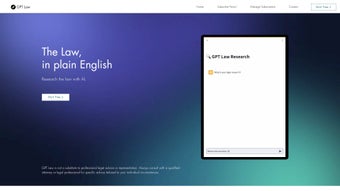
GPT Law is a cloud‑native legal research assistant built by the team at getgptlaw. It gives anyone with an internet connection instant, plain‑language access to the full spectrum of United States statutes, historic court opinions, and regulatory guidance. By leveraging large‑language‑model technology, the platform can interpret dense legal texts and rewrite them as easy‑to‑understand summaries, making it possible for non‑lawyers to grasp the essentials of a legal issue within seconds.
The primary promise of GPT Law is to dramatically lower the cost of preliminary legal research. Traditional services such as Westlaw, LexisNexis, or Bloomberg Law charge subscription fees that can run into hundreds of dollars per month, while hiring a lawyer for an initial fact‑finding session can be equally expensive. GPT Law eliminates the need for a costly subscription by offering a completely free web interface that surfaces relevant statutes, case law, and regulations in response to natural‑language queries. Users can therefore identify the most pertinent legal authorities before they even speak with an attorney, potentially reducing billable hours and overall legal fees.
Security and privacy are baked into the platform from day one. All queries travel over HTTPS, and the service does not retain personally identifiable information beyond what is required for account authentication. The privacy policy, terms of service, and a prominent disclaimer are all easily accessible, reinforcing transparency and trust. While the tool currently focuses exclusively on U.S. law and is only available in English, the roadmap includes multilingual support and expansion into additional jurisdictions, positioning GPT Law as a future‑ready legal companion.
In short, GPT Law serves as a bridge between the complex world of legal jargon and everyday citizens who need clear, actionable insight. Its free, secure, and instantly searchable database makes it a valuable first‑step resource for anyone navigating family‑law disputes, personal‑injury claims, employment issues, consumer‑rights problems, or any other legal challenge that benefits from a solid factual foundation.
Key Features of GPT Law
GPT Law packs a powerful suite of capabilities that go far beyond a simple keyword search. The platform’s AI engine continuously learns from a massive corpus of federal and state statutes, case law, and regulatory documents, allowing it to generate concise, layperson‑friendly explanations for even the most intricate legal concepts. Below is a detailed look at the most important features that set GPT Law apart from traditional legal research tools.
- AI‑Generated Summaries: Complex statutes and case law are distilled into concise, plain‑language explanations that are easy to read and understand.
- Comprehensive U.S. Database: Covers federal statutes, state statutes, historic court opinions, and major regulations, ensuring a one‑stop shop for American law.
- Topic‑Based Navigation: Users can browse by legal area—family, personal injury, employment, consumer rights, and more—making it simple to locate relevant material without guessing keywords.
- Secure, Encrypted Queries: All searches are transmitted over HTTPS, and the platform does not store queries long‑term, protecting user privacy.
- No Installation Required: As a web‑based service, GPT Law runs in any modern browser, eliminating the need for downloads, updates, or license keys.
- Citation Export: Generates correctly formatted legal citations that can be copied directly into pleadings, memos, or emails.
- Weekly Data Refreshes: The underlying legal corpus is updated weekly to incorporate new statutes, regulations, and recent court decisions.
- Disclaimer & Attorney Referral: Every answer includes a clear reminder to consult a qualified attorney for definitive advice, and a link to a vetted directory of licensed lawyers.
- Progressive‑Web‑App (PWA) Option: Users can add GPT Law to their device home screen for a native‑app experience while still benefiting from cloud‑based updates.
- Beta API Access: Developers can integrate GPT Law’s search capabilities into case‑management software via a RESTful API, enabling custom workflows and automation.
These features collectively provide a robust, user‑friendly environment that empowers both legal professionals and the general public to conduct reliable research without the typical barriers of cost, technical complexity, or steep learning curves.
Installation, Setup, Usage Guide & Compatibility
Because GPT Law is a cloud‑native service, there is no traditional installation process. The only requirement is a modern web browser and a stable internet connection. Below is a step‑by‑step guide that walks you through accessing the platform, creating an optional account, and extracting maximum value from each search.
Step‑by‑Step Setup
- Visit the Official Site: Open www.getgptlaw.com. The landing page features a prominent search bar ready for immediate use.
- Create an Optional Account: While anonymous searches are unlimited, registering with an email and password unlocks features such as saved search history, citation export, and beta API access. Account creation complies with GDPR‑style privacy standards and does not require payment.
- Enter Your Query: Type a natural‑language question, e.g., “What are the filing deadlines for a small claims case in Texas?” or “Explain the Fair Credit Reporting Act’s dispute process.” The AI parses the request and returns the most relevant statutes, regulations, and case excerpts.
- Review the Dual‑Panel Output: The left panel shows a plain‑language summary, while the right panel displays the original legal text with highlighted excerpts. Clicking a highlight expands a deeper analysis or links to related cases.
- Export or Share Results: Use the “Copy Citation” button for a ready‑to‑paste legal citation, or click “Share” to generate a short URL that can be emailed to a colleague or attorney.
- Consult a Lawyer: Every answer ends with a bold reminder to discuss findings with a qualified attorney, plus a link to a vetted lawyer directory if you need professional representation.
Compatibility Across Devices
GPT Law works on any operating system that supports a modern browser, including:
- Windows 10/11 (Chrome, Edge, Firefox)
- macOS Monterey/Ventura (Safari, Chrome, Firefox)
- Linux distributions with recent browsers (Ubuntu 20.04+, Fedora 34+)
- iOS 14+ and Android 9+ (Safari, Chrome)
The platform requires only JavaScript to be enabled; no additional plugins, extensions, or runtime environments (such as Java or Flash) are needed. Corporate firewalls that permit standard HTTPS traffic will not block GPT Law, making it suitable for both home and office environments.
Performance Tips & Troubleshooting
Typical queries return results within 2‑4 seconds on a standard broadband connection. If you experience slower performance, try clearing your browser cache, disabling unnecessary extensions, or switching to a different network. For mobile users, the responsive design ensures a smooth experience on smartphones and tablets, and the PWA option allows you to launch GPT Law in a standalone window that feels like a native app.
Power users can also explore the beta API, which provides programmatic access to the same AI‑driven search engine. Documentation is available on the developer portal, and an API key can be requested after account verification. This enables law firms to embed GPT Law’s capabilities directly into their case‑management workflows, automating routine research tasks and freeing attorneys to focus on higher‑value activities.
Pros, Cons & Frequently Asked Questions
Pros
- Free, no‑cost access to a comprehensive U.S. legal database.
- AI‑driven plain‑language explanations make complex law understandable for non‑experts.
- Secure HTTPS connection and transparent privacy policy protect user data.
- Weekly updates keep statutes and case law current.
- Cross‑platform compatibility – works on Windows, macOS, Linux, iOS, and Android.
- Exportable citations streamline legal drafting and communication.
- Optional account provides saved history without mandatory data collection.
- Progressive‑Web‑App option offers a native‑app feel without installation.
- Beta API enables integration with law‑firm software.
Cons
- Limited to U.S. law; no coverage for international jurisdictions.
- English‑only interface may exclude non‑English speakers.
- AI summaries are informational only and do not replace professional legal advice.
- Advanced features such as API access and bulk export are still in beta and may have usage caps.
- Occasional ambiguous phrasing in AI‑generated text may require manual clarification.
- No offline mode; an internet connection is mandatory.
Frequently Asked Questions
Is GPT Law really free to use?
Yes. All core search and summary features are available at no cost. Optional premium services, such as expanded API usage or bulk citation exports, may carry a fee, but the basic web interface remains free for everyone.
Can I rely on GPT Law for legal representation?
No. GPT Law provides informational summaries and does not replace an attorney. The platform always includes a disclaimer urging users to consult a licensed lawyer for definitive advice or representation.
How frequently is the legal database updated?
The backend is refreshed weekly with new statutes, regulations, and recent court opinions, ensuring that users receive up‑to‑date information.
Do I need to create an account to use GPT Law?
Creating an account is optional. Anonymous users can perform unlimited searches, but an account enables saved history, citation export, and access to the beta API.
Is my search data stored or shared with third parties?
Search queries are processed securely and are not stored permanently. The privacy policy confirms that no personally identifiable information is sold or shared with advertisers.
Can I use GPT Law on a mobile device?
Yes. The responsive design works on any modern mobile browser, and you can add the site to your home screen as a Progressive‑Web‑App for a native‑like experience.
Conclusion & Call to Action
GPT Law fills a noticeable gap in the legal‑tech market by delivering a free, AI‑enhanced gateway to U.S. statutes, cases, and regulations. Its plain‑language summaries demystify complex legal concepts, empowering users to ask better questions of their attorneys and potentially reducing the time and money spent on preliminary research. While it cannot replace professional counsel, the platform’s secure, regularly updated database and cross‑platform compatibility make it a compelling addition to any individual’s legal toolkit.
If you’re facing a legal issue—whether it’s a divorce, a workplace dispute, or a consumer‑rights question—start by visiting GPT Law and running a quick search. The free, instant insights could give you the confidence to discuss your case with an attorney on more solid footing. Remember, informed clients often achieve faster, more favorable outcomes.
Ready to explore the law on your terms? Click the link below, type your question, and let GPT Law do the heavy lifting. Empower yourself with knowledge—download (access) GPT Law today!



.png)



